.svg)
Most finance teams know their invoice process has problems. Data entry takes too long. Exceptions pile up. Month-end becomes a scramble. And the volume keeps growing while the team stays the same size.
Automated invoice processing is the direct answer to those problems. Not a workaround, not a partial fix. A fundamentally different way of handling invoices, from the moment they arrive to the moment they are approved and paid.
This article covers how it works, what it actually replaces, and what finance teams see in practice once the manual steps are removed.
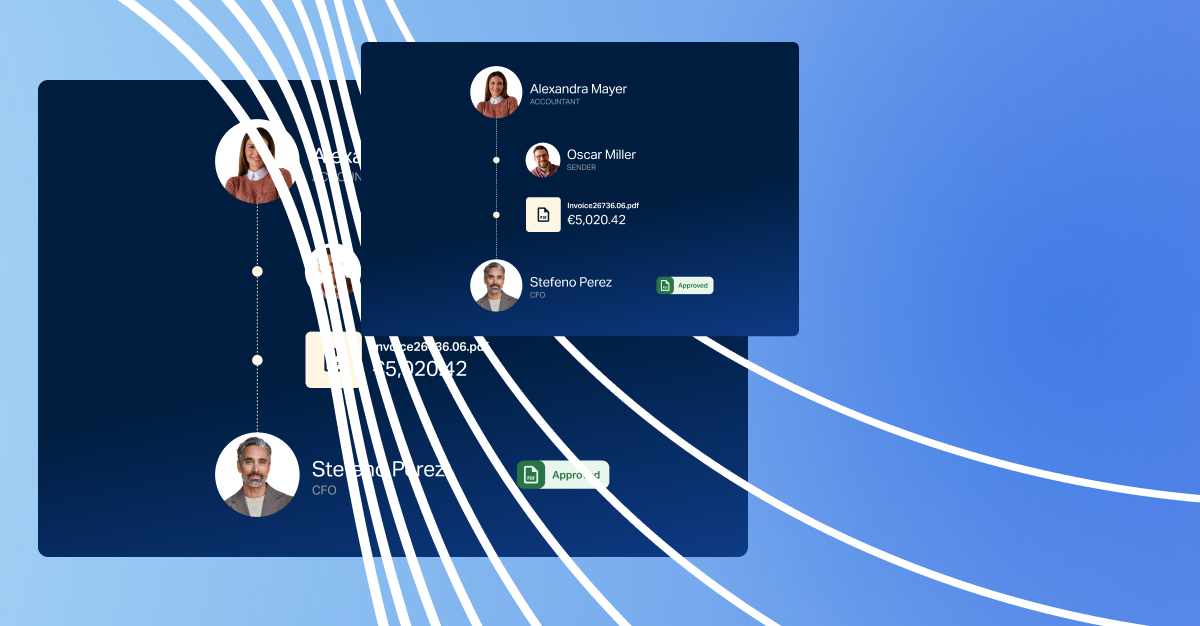
Automated invoice processing is the use of AI and software to receive, read, validate, match and route invoices without manual data entry or manual handoffs between steps.
In a manual process, an AP team member receives an invoice, reads it, types the data into the ERP or AP system, checks it against a purchase order, routes it to the right approver by email, chases a response, and posts the payment once it is approved. Each of those steps requires a person.
In an automated process, the system does all of that. The person's role shifts to reviewing exceptions, not processing routine invoices.
The shift is not about removing people from finance. It is about removing the mechanical work so that the people in finance can focus on what actually requires their judgement.
To understand what automation does, it helps to be precise about what it replaces:
These are not value-adding tasks. They are necessary steps in a process that has not been automated yet. Once automated, the team's time is freed for work that actually requires their expertise.
Modern automated invoice processing runs as a connected workflow, not a collection of individual features. Each step feeds the next.
The workflow starts the moment an invoice arrives, regardless of format. PDFs attached to emails, XML files sent via EDI, documents uploaded through a supplier portal, scanned paper invoices: the system handles all of them without routing to different tools or requiring manual intervention.
AI-based capture reads the invoice and extracts the relevant data: supplier name, invoice number, issue date, due date, line items, quantities, unit prices, tax amounts, total amount, and payment terms. This is not template matching. Template-based OCR requires a pre-built layout for each supplier format. AI-native extraction interprets the document structure, which means it handles formats it has never seen before.
The practical difference matters. A supplier who changes their invoice layout, a new supplier with a non-standard format, a foreign-currency invoice with a different layout: these do not require a configuration update. The system reads them.
First-pass extraction accuracy on established AI platforms is typically above 95%. That means fewer than one in twenty invoices requires any manual correction at the data capture stage.
Once data is extracted, it is validated before matching begins. The system checks:
Duplicate detection is applied at this stage. Duplicate invoices, the same invoice submitted twice under slightly different references, are one of the most consistent sources of overpayment in manual AP processes. Catching them before matching prevents a problem that would otherwise only surface in reconciliation, often after payment has already been made.
3-way matching is the validation that confirms an invoice corresponds to a real, authorised purchase. It compares the invoice against the purchase order (what was ordered) and the delivery note or goods receipt note (what was actually received).
The system pulls both documents from the ERP and applies the match automatically. When the supplier, quantity, and price agree within configured tolerance thresholds, the invoice passes and moves directly to the approval stage. No human involvement required.
When they do not agree, the invoice becomes an exception. The system routes it to the right person with the specific discrepancy identified, both documents attached, and a clear path to resolution. The AP team is not diagnosing what went wrong; they are acting on a well-defined problem.
Well-implemented platforms achieve straight-through processing rates above 80%. That means more than four in five invoices move from receipt to approval without any manual step. The remaining exceptions require human judgement precisely because they are genuinely unusual, not because the system cannot tell routine from complex.
Approved invoices move through a configured approval workflow. Rules determine routing based on invoice amount, supplier category, department, cost centre, or legal entity.
A purchase order invoice under £500 from an approved supplier might go directly to payment. A high-value invoice, or one from a new supplier, routes to the relevant budget holder with the full context attached.
Approvers receive a notification and can approve or query directly, without logging into a specialist system. If an approver does not respond within the configured window, the system sends a reminder. If that goes unanswered, it escalates automatically.
Every approval action is timestamped and logged. The audit trail is complete without anyone creating it manually.
Once approved, invoices are grouped by due date and currency for payment. The payment file is generated and sent to the bank or payment provider. Payment data syncs back to both the AP platform and the ERP in real time.
For teams integrated with their ERP in real time, this means the ERP is always current. There is no batch reconciliation at month-end because the data has been reconciling continuously throughout the month.
The benefits of automated invoice processing show up across three areas.
The cost of processing an invoice manually in the UK typically sits between £8 and £25, depending on process complexity. Automated processing brings that figure below £2 on established platforms. At 1,000 invoices a month, the difference is material.
Processing time for a clean invoice drops from three to seven business days in a manual environment to a matter of hours in an automated one. For teams that have historically missed early payment discounts because they could not process invoices fast enough, this unlocks a direct financial benefit. A 2% early payment discount on £5 million of annual AP spend represents £100,000 in savings that manual processing simply cannot capture.
Manual AP processes rely on individual vigilance applied under time pressure. Automated processes apply consistent controls regardless of volume or timing.
Duplicate detection runs on every invoice, not just the ones that look unusual. Three-way matching confirms every PO-backed invoice against a real delivery record. New supplier payments require additional sign-off by configuration, not by individual attention.
The ACFE 2024 Report to the Nations found that billing fraud is the most common form of occupational fraud, accounting for 19% of cases with a median loss of $100,000 per scheme. A consistent, automated control layer is a more reliable defence than individual review at volume.
In a manual AP environment, the most accurate picture of outstanding payables is always slightly behind reality. Invoices in the entry queue, exceptions waiting for attention, approvals pending in someone's inbox: these represent liabilities that are not yet visible in the ERP.
With automated invoice processing, finance leaders see a live view of what is in the pipeline. Invoice received, in matching, pending approval, approved, paid. Cash flow forecasting works from current data, not yesterday's batch. ERP data is accurate because it is updated in real time, not at the next batch run.
Finance teams evaluating automation usually have a specific problem they are trying to solve. Most trace back to one of these.
Exceptions are often seen as a supplier quality issue. Many are actually a process quality issue. When purchase orders are raised inconsistently, when delivery notes are posted late, when supplier records are not kept current, the matching process generates exceptions because the data it is matching against is unreliable.
Automation surfaces these upstream data problems clearly. The exception report tells you not just that invoices failed matching, but why, and consistently. That information is actionable in a way that a pile of manually escalated invoices is not.
Month-end AP reconciliation in a manual environment often takes three to five days because reconciliation is a point-in-time event. Records have to be pulled from multiple systems, discrepancies identified, and each one traced.
With real-time ERP integration, reconciliation is not a periodic task. It happens continuously. Month-end becomes a review of an already-reconciled period, not a project.
The most common trigger for automation is not inefficiency in the current team. It is growth. Invoice volume increases with business scale, and manual AP processes do not scale without adding headcount. Automated processing handles volume growth without a corresponding increase in team size or error rate.
Dost is an AI-native platform built to handle the complete automated invoice processing workflow in a single environment. Invoice capture, validation, 3-way matching, approval routing, payment initiation, and ERP reconciliation all work together because they were built as one connected system.
The ERP integration is real time and bidirectional. Dost connects natively with SAP, Microsoft Business Central, Sage (200, Intacct, X3), and Oracle. Invoice data flows into the ERP as invoices are processed. Payment data flows back from the ERP to Dost as payments are made. There is no batch upload, no manual reconciliation step, and no data gap between the two systems.
The AI learns from your data. Every exception that is resolved, every invoice that is matched, every supplier that is processed contributes to a model that becomes more accurate over time. The exception rate on month three is lower than on month one, not because the process was reconfigured, but because the system has processed your invoices.
See what automated invoice processing could save your team. Use Dost's ROI calculator to calculate your savings based on your current invoice volume and processing costs.
Yes. AI-native invoice processing handles PDFs, XML, EDI, email attachments, and scanned documents. The system extracts data from formats it has not seen before by interpreting document structure rather than matching against pre-built templates. This matters in practice: most businesses receive invoices from dozens or hundreds of suppliers, each with their own format, and enforcing a standard is not realistic. The accuracy on non-standard formats improves as the system processes more invoices from each supplier.
Invoices that fail matching become exceptions. On a well-designed platform, exceptions are routed automatically to the right person with the specific discrepancy identified, the relevant PO and delivery note attached, and a clear path to resolution. The team is acting on a well-defined problem, not diagnosing what went wrong. Over time, as the system learns from how exceptions are resolved, the proportion of invoices that generate exceptions decreases.
The most immediate gains, lower cost per invoice and faster processing time, typically appear within the first 30 days of going live. Exception rate reduction and improved audit readiness build more clearly at 90 to 180 days, as the system learns from your data. The compounding benefits, particularly on matching accuracy and fraud detection, continue beyond the first year.
Automated invoice processing removes the manual steps that slow down AP, introduce errors, and consume the team's time. The result is not just a faster process. It is a more controlled one, a more accurate one, and one that gives finance leaders the visibility they need to manage cash flow and payables effectively.
For mid-market finance teams, the question is rarely whether to automate invoice processing. It is when, and which platform integrates cleanly with the ERP they already run. The answer to the first question is usually: sooner than the team thinks, because the compounding benefits of AI-native automation start from the first invoice processed.
Calculate what automated invoice processing could save your team with Dost's ROI calculator.