HOW IT WORKS
Effortless automation across your document
management system
Configure mapping rules that optimise invoice processing automation and other documents, without manual intervention.


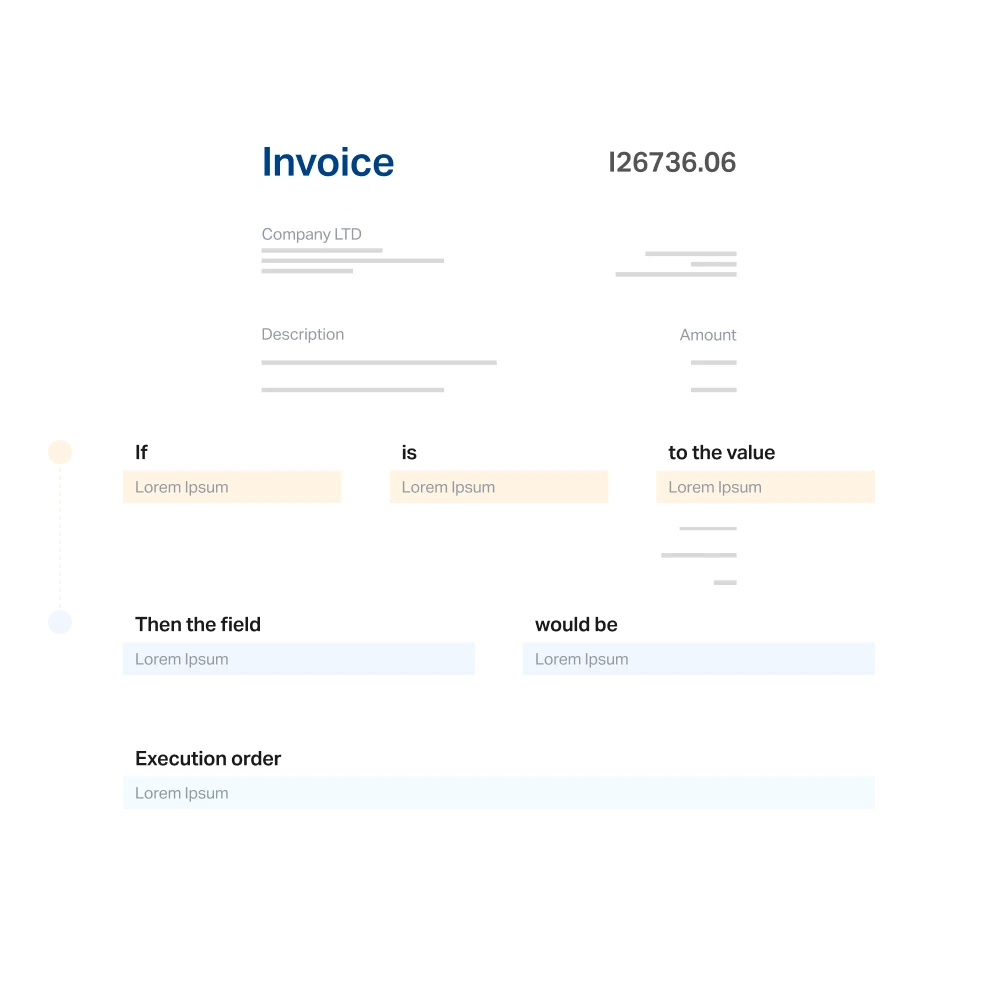
By setting up custom rules, you can define how fields are automatically populated based on document content, streamlining key processes like invoice reconciliation and ERP posting. Mapping configuration is the layer that turns captured data into clean accounting records.










Real numbers, from real customers. Get your time back. Costs down. EBITDA up.
Configure mapping rules that optimise invoice processing automation and other documents, without manual intervention.
Customisable rules for full invoice workflow automation across your document base.
With customisable mapping rules, you can automate data processing, reduce manual input, and increase efficiency across your document and invoice management systems. Perfect for businesses seeking accuracy and time savings through invoice workflow automation.

Customisable mapping rules across every document type
Manual input reduced and accuracy improved at scale
Efficiency gained across document and invoice management systems
Data mapping that ensures every document is complete, calculated, and ready to reconcile invoices.
Configure mapping rules to ensure every document is complete and accurate. If a supplier forgets to include key invoice details, Dost automatically fills in the blanks. Set up simple maths operations, like addition or subtraction, to generate calculated field values. When essential data like PO numbers is misplaced, Dost intelligently remaps it to the correct fields for seamless invoice reconciliation.
Autofills missing data when a supplier omits invoice details
Automatic calculations on configured fields (sums, subtractions, custom)
Misplaced PO numbers remapped to the correct fields automatically
Intelligent code matching and categorisation built into your accounts payable systems.
Enhance accounting processes with intelligent code matching and categorisation. Map supplier codes to your internal system to speed up accounting reconciliation. Assign suppliers to specific cost centres or match expenses to accounting codes, fully automated and rule-based across your accounts payable systems.
Supplier codes mapped to your internal accounting system
Suppliers assigned to specific cost centres automatically
Expenses matched to accounting codes through rule-based logic
Eliminates errors, saves time, and adapts with full flexibility. The benefits of document management at scale.
Automation prevents inconsistencies in financial data and eliminates manual data entry across your finance team. The automated mapping system accelerates workflows by instantly assigning values and fields based on pre-defined rules. And every business can customise mapping rules based on document type, sender, client, or context, without needing any coding knowledge. Real benefits of document management, applied at scale.
Eliminates human errors in invoice processing and compliance reporting
Saves time by replacing repetitive manual data checks with automation
Fully flexible, customisable by document type, sender, client, or context with no code
Dost is not a patchwork of disconnected modules. It is a single AI-native accounts payable automation platform connected to your ERP from day one.

Dost is built around AI from the ground up. It matches transactions, flags exceptions, and learns your matching rules automatically. No template setup, no training required.

No expensive development. No changes to your system. Dost connects bi-directionally with SAP, Oracle NetSuite, Dynamics 365, Sage and more, ready to work from day one.

Every action is timestamped, searchable and exportable. Full audit trail on every transaction — for both accounts payable and accounts receivable reconciliation.

Reconcile payments across all your offices, entities and currencies from a single platform. Multi-entity, multi-centre, multi-currency — with real-time cash visibility at every level.


Our clients live in the Microsoft universe and we were looking for an AP solution that would truly integrate — no friction, no custom development. Dost delivered exactly that. What surprised me most was the speed: very quickly we had our first clients up and running. The partner team is with you every step of the way.


At FeedbackGround we support growing companies and we’re always looking for the best tools to complete our offering. Dost fitted perfectly: AP automation ready to connect with SAP, no unnecessary complexity. It’s not just a technical integration — it’s a partner you genuinely enjoy building with.


We’ve been implementing Sage 200 for over a decade and we know where mid-sized finance teams struggle. When we discovered Dost, it was immediate: this is what our clients have been asking for without knowing it. Today we offer it as a natural part of our proposal — our clients eliminate the manual work that frustrated them most, and we close projects with a recurring revenue component we didn’t have before.


With Dost, what took 9 days is now done in just 3. Our team can focus on higher-value tasks.


The impact has been enormous. Dost helped us completely change the approval flow. The financial team is happy to no longer manage invoices manually.


What surprised me most about Dost was their ability to adapt to our specific requirements. We didn't have to change our processes; we just had to improve them.


What used to take our team an entire week now happens in minutes — and nobody needs to check anything twice.


Dost gave us something we'd never had before: clean month-end closes and data we can actually trust.
With Dost, what took 9 days is now done in just 3. Our team can focus on higher-value tasks.
The impact has been enormous. Dost helped us completely change the approval flow. The financial team is happy to no longer manage invoices manually.
What surprised me most about Dost was their ability to adapt to our specific requirements. We didn't have to change our processes; we just had to improve them.
What used to take our team an entire week now happens in minutes — and nobody needs to check anything twice.
Dost gave us something we'd never had before: clean month-end closes and data we can actually trust.
At FeedbackGround we support growing companies and we’re always looking for the best tools to complete our offering. Dost fitted perfectly: AP automation ready to connect with SAP, no unnecessary complexity. It’s not just a technical integration — it’s a partner you genuinely enjoy building with.
We’ve been implementing Sage 200 for over a decade and we know where mid-sized finance teams struggle. When we discovered Dost, it was immediate: this is what our clients have been asking for without knowing it. Today we offer it as a natural part of our proposal — our clients eliminate the manual work that frustrated them most, and we close projects with a recurring revenue component we didn’t have before.
Our clients live in the Microsoft universe and we were looking for an AP solution that would truly integrate — no friction, no custom development. Dost delivered exactly that. What surprised me most was the speed: very quickly we had our first clients up and running. The partner team is with you every step of the way.
What is mapping configuration in an automation tool?
It is a set of rules that auto-map document fields to your ERP values, fix recurring errors, and automate validations and accounting assignments. Mapping configuration is the engine that connects document capture and data extraction with your real accounting system.
What fields can be mapped with Dost?
Dost can map vendors, cost centres, GL accounts, tax codes, departments, projects, and any custom field from your ERP accounts payable module. Mapping configuration covers every relevant field across your accounting workflows.
Can mappings be customised by company or user?
Yes. You can create custom mapping rules based on legal entity, document type, user, or any relevant condition in your organisation, giving full flexibility to your finance team.
What are the benefits of document management with mapping rules?
The benefits of document management with mapping rules include cleaner accounting records, faster invoice reconciliation, and a consistent audit trail across every document. Mapping configuration takes the structured output of document capture and pushes it into your ERP accounts payable workflows automatically, removing repetitive manual entry from the finance team's day.
How does mapping configuration accelerate invoice reconciliation?
Invoice reconciliation depends on data being properly structured. When PO numbers sit in the wrong field, amounts appear in inconsistent formats, or supplier codes don't match what's in the ERP, the reconciliation breaks. Dost detects those cases with mapping configuration and corrects them automatically, so the system can reconcile invoices and payments without manual cleanup.
How does Dost handle PO numbers across documents?
Dost captures the PO number from invoices, delivery notes, and supplier emails as part of its mapping configuration. When the PO number is misplaced or formatted inconsistently, Dost remaps it to the correct field automatically. Consistent purchase order numbering across every document enables 3-way matching and a clean audit trail inside your ERP.
What's the difference between manual coding and ERP accounts payable mapping?
Manual coding requires a user to assign each document field to its counterpart in the ERP, invoice after invoice. ERP accounts payable mapping applies the rules automatically: it learns from prior documents, fills in missing fields, and corrects common errors. Dost combines both layers, customisable mapping configuration plus AI that applies it at scale, removing repetitive coding from the team.